
Typography-Color-Spacing
Design Your Campaign
In the preview section on the right side of any campaign page, you can fully customize the typography, colors, spacing, and borders of nearly every part of your campaign. Each customization option is presented separately for your convenience. Below are the key elements you can modify:
If you need further assistance after reading this, please don’t hesitate to contact us. We’re always happy to help!
Campaign Title
Click on the campaign title in the preview.
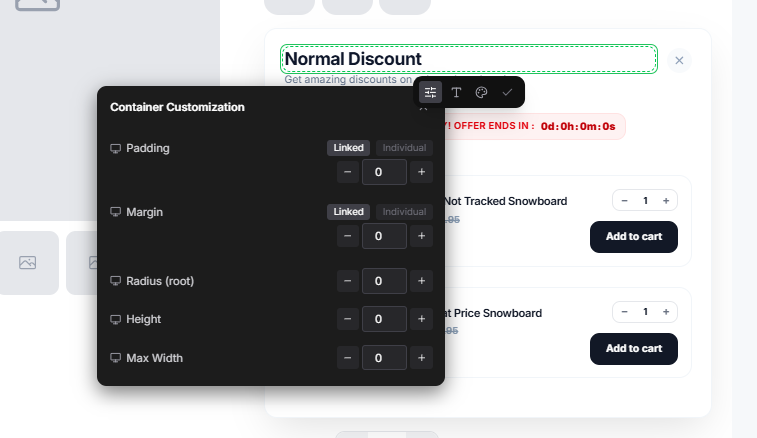
- 1Adjust the typography, alignment, colors, and spacing to suit your design.
Product Title
Select the product title.
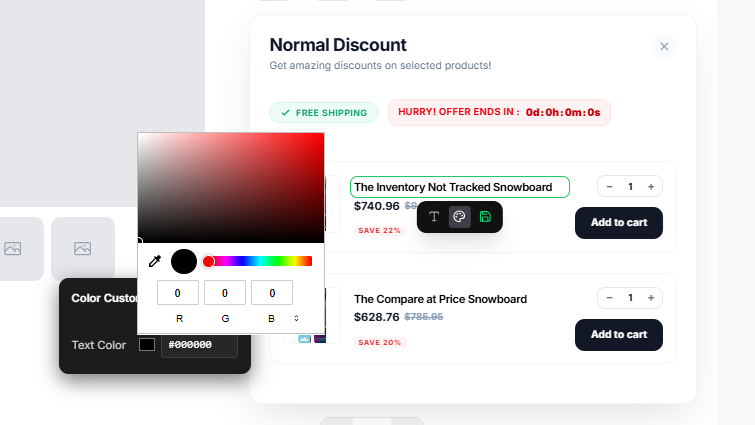
- 1Personalize the font, text size, color, and spacing.
Product Image
Click on the product image in the preview.
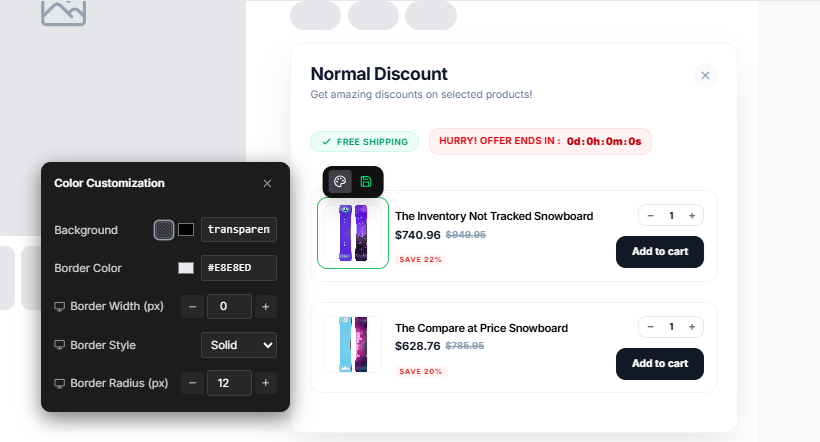
- 1Modify the size, borders, and spacing for better visual impact.
Price Tag
Select the price tag section.
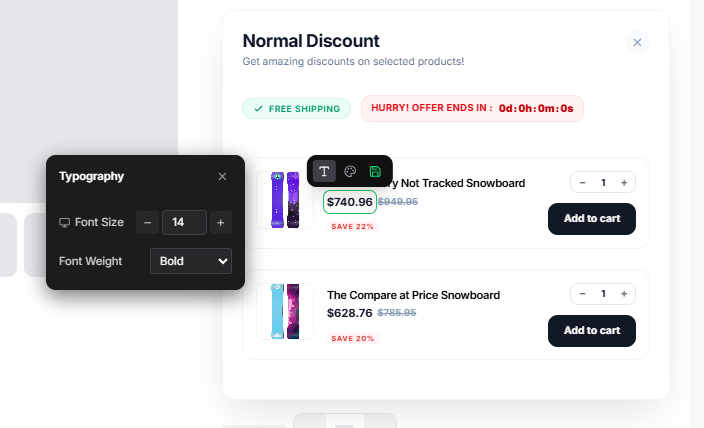
- 1Change the Alignment and Spacing.
- 2You can also modify the offer and selling price individually.
Add to Cart Button
Click on the “Add to Cart” button.
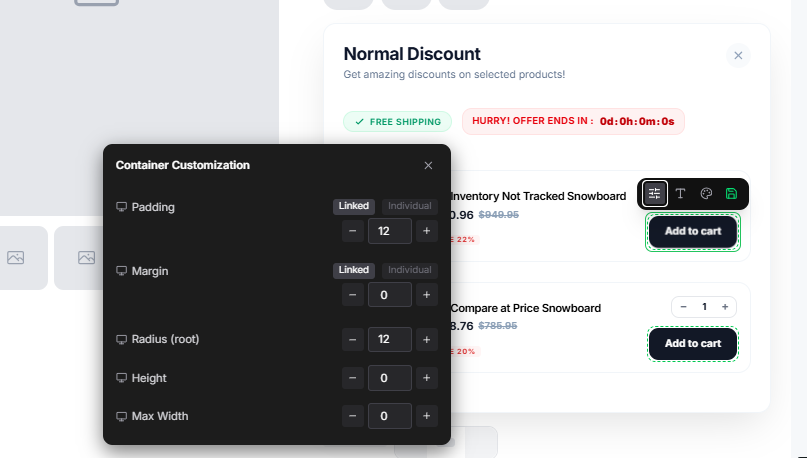
- 1Adjust the button color, size, typography, and spacing.
Discount Customization
Select the discount text or tag.
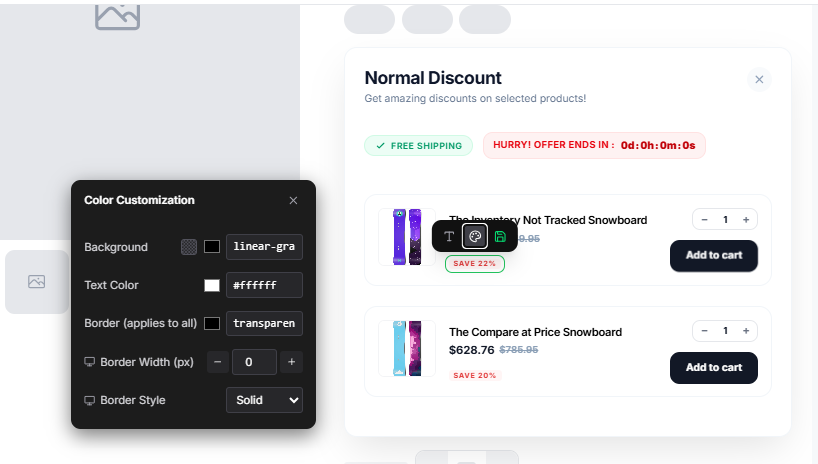
- 1Modify the typography, colors, and spacing to emphasize deals.
Cart Quantity Customization
Click on the cart quantity section.
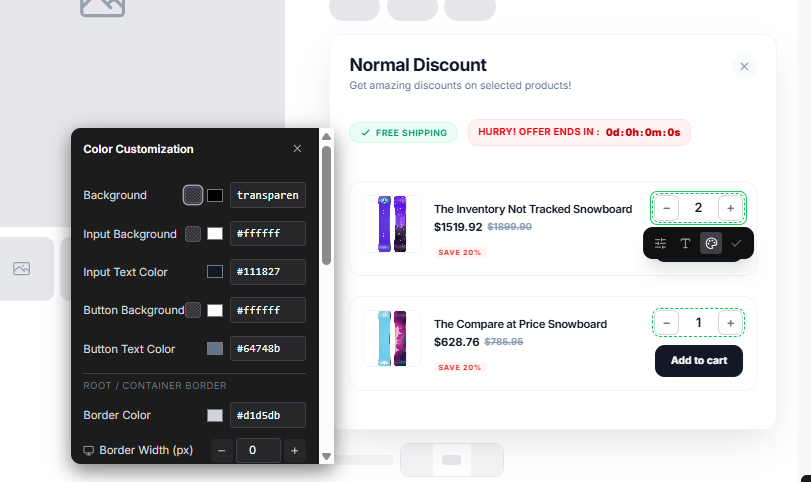
- 1Change the size, colors, and spacing to grab attention.
Tag Customization
Click on the product tag section such as “Most Popular”.
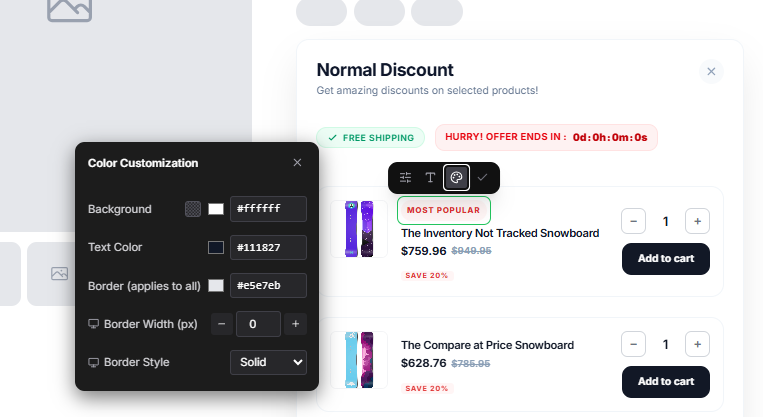
- 1Adjust the font size, colors, margin, and padding to look polished.
Product Section
Modify the entire product section.
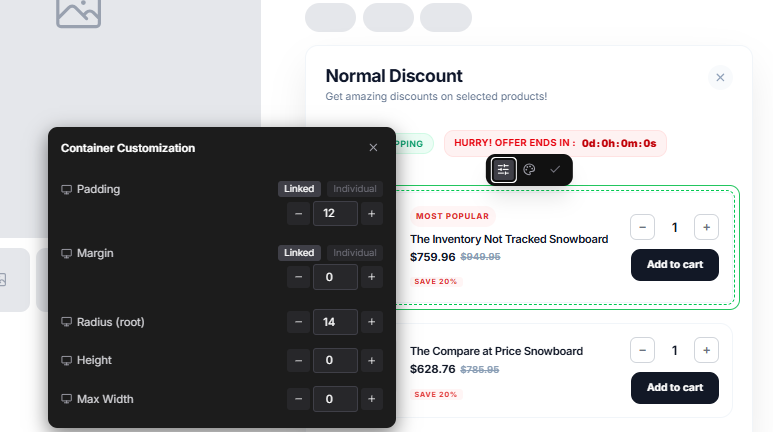
- 1Adjust spacing, borders, and background colors for a cohesive layout.
Campaign Block
Personalize the entire campaign block.
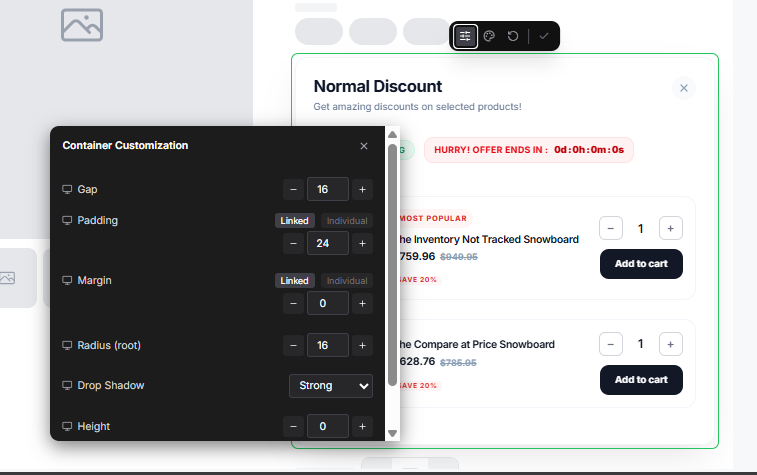
- 1Customize its colors, borders, spacing, and typography to reflect your branding.